
What is a hybrid app?
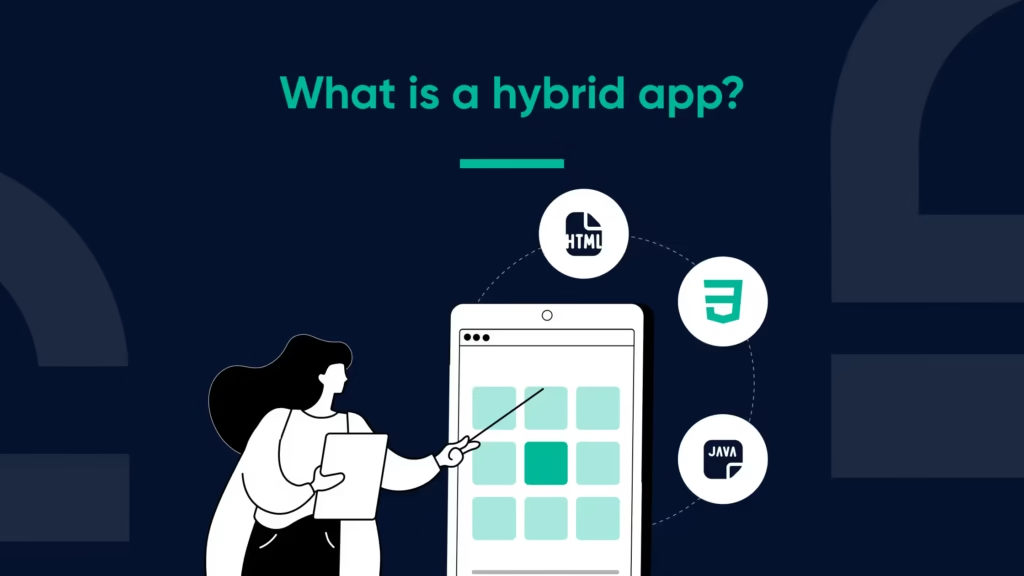
A hybrid app has similarities to native binaries in that it is packaged as a native binary, but a majority of the logic for the hybrid app is executed in a webview.
The hybrid application is composed of three high-level parts:
- the native container (which contains all platform-specific code required to grant permissions, manage the lifecycle of the application, and allow for application store submission).
- The bridge/plugin layer that allows web applications to interact with native devices (and provides access to device APIs such as camera, push notifications, secure storage, etc.)
- A web layer containing the User Interface (UI) and routing, as well as representing application state.
Hybrid applications tend to share more than 70-80% of their code across multiple platforms when the user experience (UX) centres on content or workflows. A hybrid application can serve as the primary vehicle for long-term products, while still allowing for the addition of native screens at specific performance bottlenecks.
Webview
The webview renders HTML/CSS/JS. Performance tactics include: minimizing DOM depth, virtualizing long lists, avoiding layout thrash, memoising expensive computations, code-splitting routes, caching static assets, and preloading above-the-fold resources. Heavy 3D, real-time games, or complex gestures are usually better in fully native views. With careful profiling, a hybrid app can deliver responsive scrolling and interactions for most business flows.
Bridge (plugin) layer
The bridge passes messages between JavaScript and native code. It powers features such as attribution, analytics, geolocation, file system access, in-app purchases, and notifications. Good practice: define a typed interface, queue messages during cold start, and centralise error handling to prevent silent failures. A well-designed bridge lets a hybrid app adopt new native capabilities without rewriting the web layer.
Planning and scope
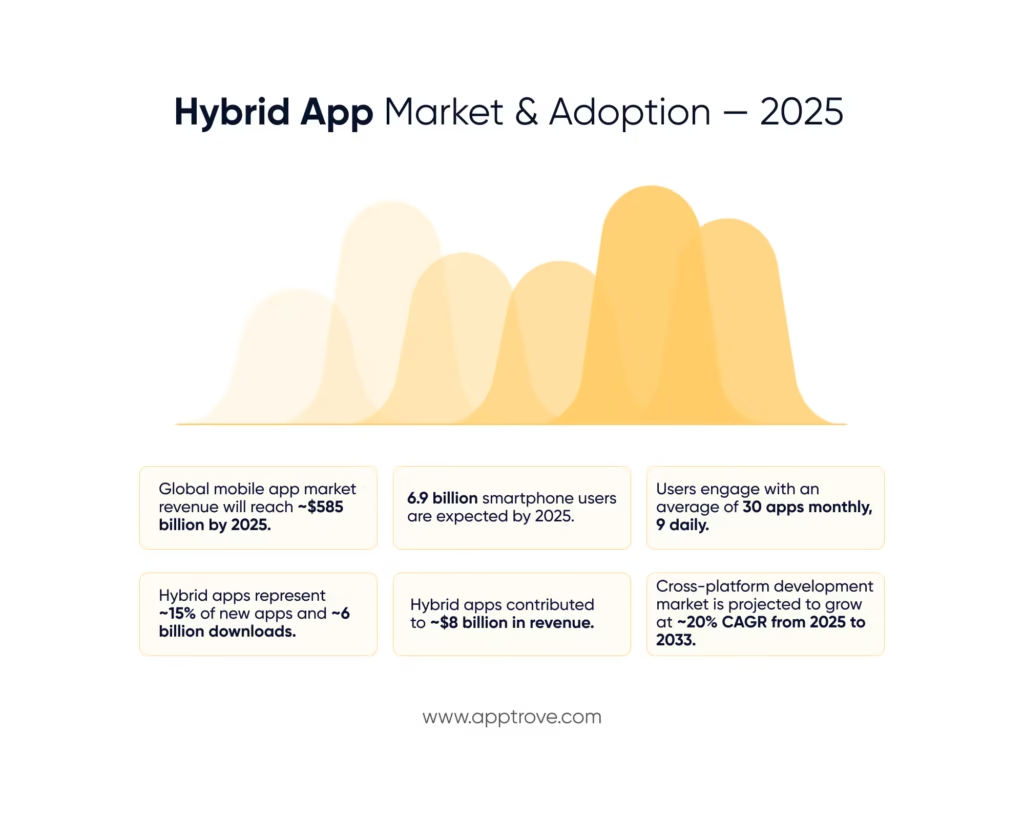
When you need an app quickly, or have many team members with only a few skill sets who all need access to the same functional application, then building a hybrid application will likely be the best way to get your app built and released to market faster. Some examples of when a hybrid can be helpful are for apps that serve content, create forms, facilitate e-commerce, and provide dashboards. Avoid using hybrid for apps with ultra-animations, such as games and complex graphics engines. It can be helpful to start with a lean MVP version of your hybrid app, and create native screens only for the hotspots where your telemetry data shows users are gathering.
Hybrid apps can work particularly well when your development team has already created a good mobile web experience.
Additional concepts and keywords related to hybrid apps include: cross-platform development, progressive web app (PWA) packaging, deep linking, deferred deep linking, install referrer, user acquisition, onboarding, funnel analysis, sessionization, cohort retention, DAUs/MAUs, ARPU, LTV, uninstalls, re-engagement, ASO, privacy controls, SKAN equivalents, restrictions on fingerprinting, order of SDK initialization, consent mode, data minimization, and event deduplication across web and app.
Measurement and attribution of hybrid apps must take into consideration three surfaces: mobile web, installed app, and app store, and also connect the installs and events to touchpoints across different marketing channels. The following are key items related to measurement and attribution for hybrid apps. To allow for deep linking to a specific location (landmark) in an app, hybrid apps must enable persistent parameters to be retained after installation and deep links.
To redirect users from the mobile web, hybrid apps can utilise web-to-app banners. This type of communication allows the user to be directly directed to a location on the app without having to complete an entire loop through the mobile website.
User information in hybrid apps can include hashed email addresses, a stable app-scoped ID number, and privacy-safe device signals.
Realistic benchmarks you can use:
- Approximately 88% of users spend their time using applications instead of browsing the mobile web.
- Retention for day 1 is usually in the 25–35% range, retention for day 7 is typically in the 10–20% range, and retention for day 30 is typically in the 3–10% range.
- Conversion rates for views to installs from app stores typically vary from 20% to 35%.
- Cold-start times of less than 2 seconds are related to higher engagement levels and lower bounce rates.
- There is considerable variability across the different platforms regarding the number of users opting into push notifications, with iOS in many locations having approximately 50% of opt-in rates of Android.
Hybrid Data Quality
A hybrid app frequently has a mixture of both native and web technologies and can have the potential for event duplication. Below are some strategies that can be used to reduce the risk of duplicate events:
- Generate events within one layer of the application and use the bridge to mirror them to the other layer rather than sending duplicate events.
- Assign a consistent application-scope user identifier that is associated with each hit in your application; this identifier should link a user’s web cookies to their application identifier when they log into your app.
- Time-stamp events at the point of origin, and de-duplicate them based on user_id, event_name, event_time, and nonce.
- Delay the initialization of any attribution SDK until it is known that the user has consented; if necessary, queue events locally until consent is received.
- The QA process should include valid deep-link parameters tested end-to-end using all three flows (install, first open, and re-open).
Performance and UX glossary
Startup
Cold start (from tap until first interactive) as well as warm start measure in addition to budgets per phase: application launch, run time initialization, bridge hydration, route resolution, and first rendering. The critical path is maintained tight by lazy-loading secondary modules and deferring any non-critical SDK’s. The perceived quality of a hybrid application that starts in less than 2 seconds has improved.
Rendering and Smoothness
Measure FPS and ‘long tasks’ on the WebView. Use CSS transforms where possible in preference to layout-thrashing properties, avoid synchronous XHR requests, batch state change calls, and virtualize lists. Use requestIdleCallback() for low-priority tasks. Precompute image size to prevent reflow.
Network and Offline First
Adopt an offline-first stance by caching shell assets, implementing local database mechanisms for queued actions, and reconciling changes on reconnect. Use backoff and jitters while displaying a clear banner offline with retry options. Implement the use of compression on images and JSON. If available HTTP/2 or HTTP/3 should be turned on.
Bundle Governance
The performance of hybrid applications will degrade if your bundles are large in size. Through the use of tree-shaking, dynamic imports, gzip or brotli compression, and by optimizing images, these issues can be alleviated. It is recommended that an initial JavaScript budget be set (e.g., ≤1.5mb of js) so that if any regression occurs the user will be notified immediately. To enhance the ability to perform surgical hot-updating of vendor code, the vendor code and feature code should be isolated into separate environments.
Security And Privacy
The webview should be treated as an untrusted boundary. To that end, you should enforce a content-security policy across your webview interface, isolate the domains being used, disable inline script execution whenever possible, validate all deep-link input from URLs, and pin all HTTPS requests to a specific domain. Secrets should reside in secure native storage and not included in the web bundle. Requests for user data (e.g., name, email address, etc.) should be honored through platform privacy prompts and by default users should be allowed to minimize the amount of personal data they provide.
Release Engineering
The process for creating a hybrid application should take advantage of automated pipelines for performing static analysis, executing unit tests, running end-to-end tests, verifying accessibility compliance, and performing smoke testing on real devices. Utilize feature flags for gradual rollouts, hold staged rollouts by platform, and monitor crash-free session counts, startup times, and UI responsiveness. All hybrid applications should also have an emergency rollback plan for both the native shell and the web bundle. Hybrid Application Pipelines should employ canary builds to safely validate any changes to the bridge assembly.
App store optimization and growth
Utilize optimized listing metadata, creative assets, and localized screenshots where applicable. Collect data for each stage of the install funnel, including impressions → product-page views → installs → first-open → activation. Implement a process of iterative testing through controlled experimentation. Account for seasonality and align campaigns with applicable seasons/events. Track uninstalls and utilize notifications/email deep links to target uninstalls/engagement in specific-app UI screens.
Team & skills required
The optimal hybrid application team consists of web developers who are proficient in analyzing and optimizing performance, a platform-specific native specialist for both the container and plugins, quality assurance resources who are well-versed in constructing and managing deep link matrices, as well as analysts who can properly align web and app data sets. A properly utilized shared design system provides a consistent user experience through typography, spacing, and motion across all platforms. Mature organizations build and treat the hybrid application as a first-class product rather than a temporary or second class product.
Potential pitfalls
- Creating a hybrid application that combines both web and native navigation stacks without establishing a single source of truth.
- Producing analytic data from both web and native components and subsequently doubling the count of conversion numbers.
- Creating application bundles with excessive bundle size and degrading the application launch time beyond the acceptable limit.
- Neglecting to test offline usage of critical flow processes such as the checkout or support.
- Insufficiently testing extreme use cases for deferred deep links and reinstall scenarios.
Conclusion
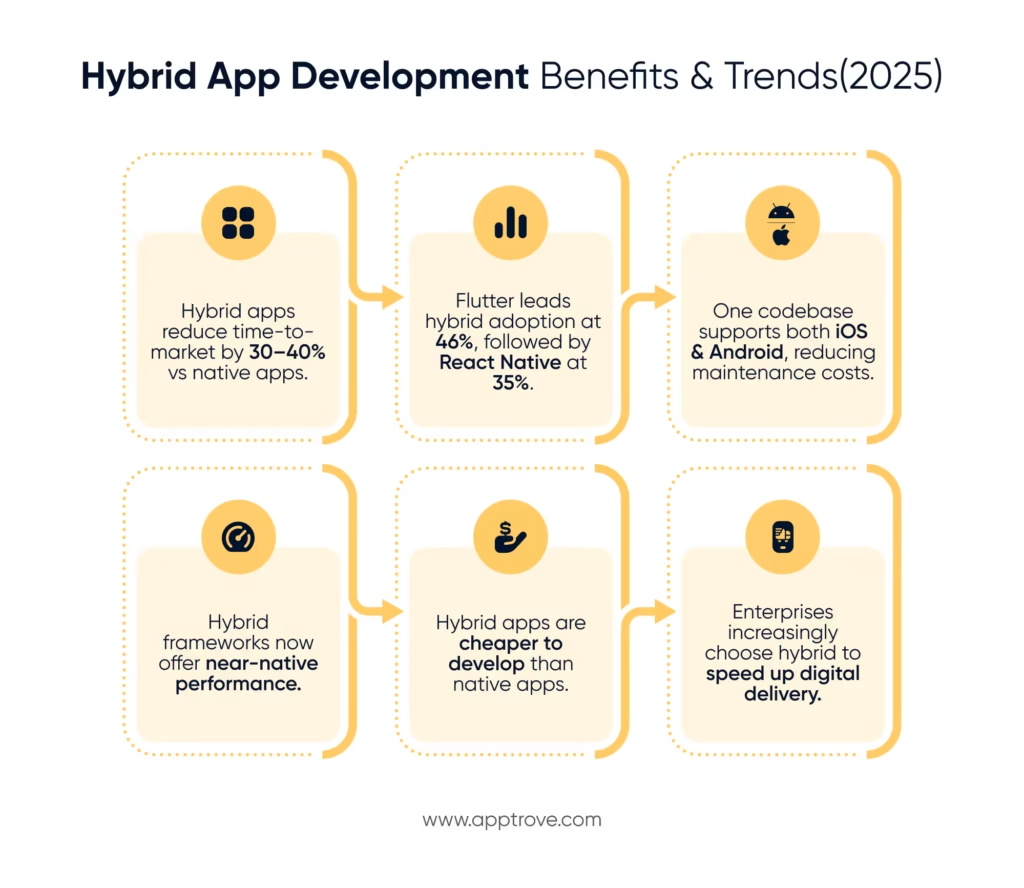
A hybrid application allows for a rapid, cross-platform release using only one code base. This delivery method is good for products that are primarily content, commerce and/or workflow driven. The hybrid model is best employed when you place strict limits on startup budgets, restrict bundle size, centralize analytics and at the very least get the deep/deferred links validated from one end to the other.
Additionally, adding offline functionality, enhancing security features and controlling for consent-aware data flows, and reserving only the performance “hot spots” for entirely native screens will produce a hybrid app that closely resembles a near-native user experience at a much lower cost and with a faster turnaround time.
Quick glossary entries
App banner: The advertising unit for mobile web that either installs or launches the app.
Deferred deep link: A link that retains its context through the installation of an application.
Install referrer: A variable which assigns an installation to a specific campaign.
Session: A consecutive period of user engagement with an application.
Cohort: A group of users sharing a starting point (e.g., week of the initial installation).
ARPU / LTV: Two revenue metrics that inform your payback periods and your budget caps.
Consent mode: The engine that decides what events and identifiers are allowed within your application.
SDK: Software Development Kit. A library that allows developers to use the capabilities of the platform in their application code.
ASO: App Store Optimization practices to increase visibility and conversions in app stores.
FAQs
Q1: When should you use a hybrid application model?
Utilize hybrid application development when you require a fast development cycle across multiple platforms, want to re-use an extensive web codebase or if your application relies heavily on content and workflow when designing the user experience. Conversely, hybrid applications are probably not the best option for applications with large amounts of graphics or that require minimal latency.
Q2: How similar can hybrid application performance be to that of native applications?
By using conservative bundle budgets, virtualized lists and selectively leveraging native screens for hotspots, many flows feel as though they are indistinguishable from native applications. The performance differences between hybrid applications and native applications will be most noticeable in heavy animations, complex gestures and high frames-per-second rendering.
Q3: How do deep links work in a hybrid application model?
A deep link is first received by a native router that validates its parameters before routing the web view to the correct location and restoring previous state. Deferred deep linking allows you to save parameters for the deep link during installation so that when you first open your application it will land on the specific screen intended.
Q4: What is the recommended approach for implementing analytics in a hybrid
application?
You should pick one source of truth for all analytics, only emit events from one place, associate all events with a stable user ID, and remove duplicate events by using a key. Before deploying to production you should audit the analytic schema and run end-to-end testing at the install, first open and re-open phases.
Q5: What key performance indicators should be used for tracking hybrid applications?
There are many important key performance indicators for hybrid applications, including cold start times, crash-free sessions, retention by cohort (days 1, 7 and 30), drop-off rates through the funnel process, uninstall rates, average revenue per user or lifetime value, and deep link conversion rates from web to app. Key performance indicators for hybrid applications should be linked to outcomes from any experiments conducted.