The way iOS handles Attribution has changed a lot recently due to the implementation of privacy-focused improvements like App Tracking Transparency (ATT). Apple has created a way for advertisers to keep receiving accurate attribution in their ecosystems without being dependent on IDFA.
The purpose of this article is to explain how you can use the Identifier for Vendors effectively with Apptrove, how it operates on multiple platforms, and how to set it up to track installs and engagement while still respecting user privacy.
Understanding the Identifier for Vendors
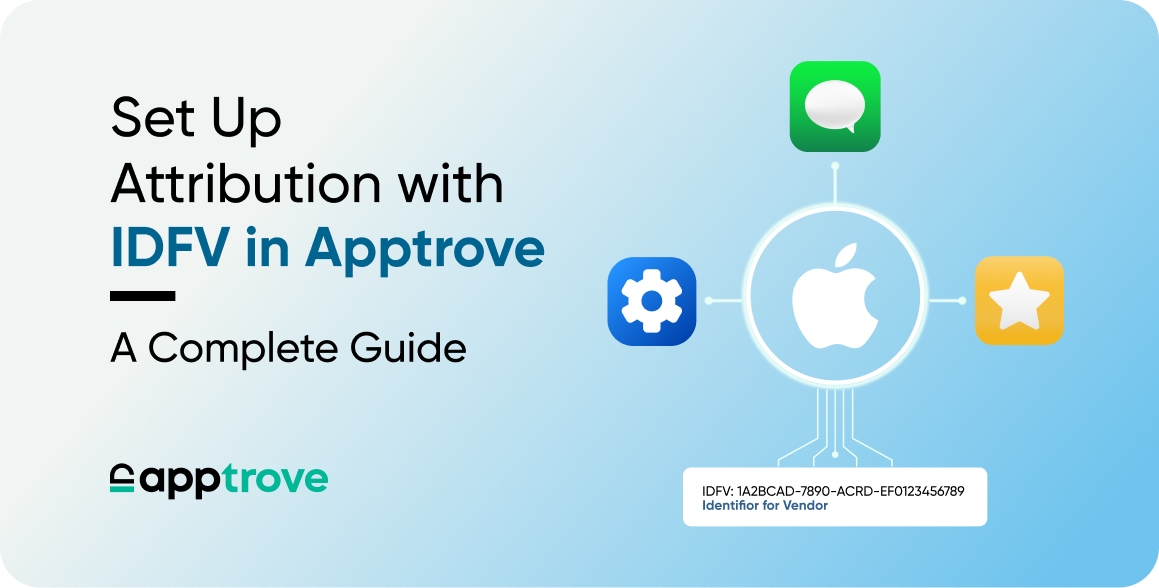
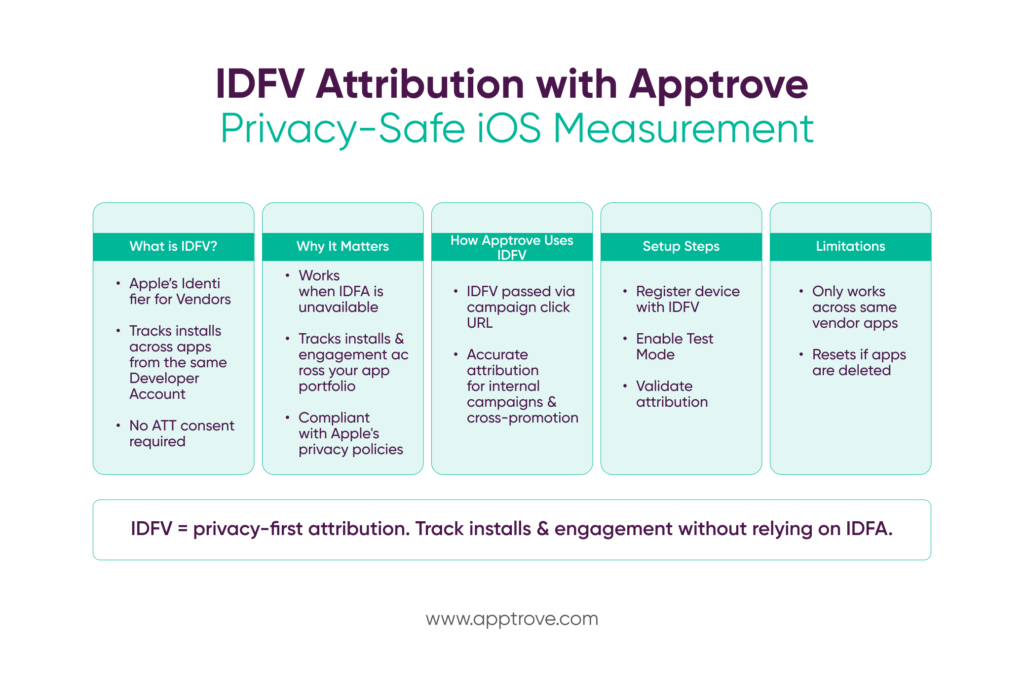
The Identifier for Vendors is Apple’s method of identifying problems with devices across many applications created by one developer. It will automatically be generated through iOS and shared in the same manner among all applications that fall under one Apple Developer Account. Unlike IDFA, this does not rely on user consent via ATT, so it is a reliable option to use when you cannot obtain traditional attribution information, and there are no other means of communicating that data.
For both developers and marketers using Apptrove, the Identifier for Vendors allows them to consistently track installs and engagement when they cannot obtain any of the traditional Advertising Identifiers.
Example of Attribution Using IDFV
To demonstrate how attribution works, we will look at an example using IDFV. Let’s say that a user has App A installed, and sees a promotion for App B (both created by the same Developer). When the user clicks on the promotion, the IDFV is recorded. Next, when the user installs App B, Apptrove will use the IDFV to match the user’s install of App B with the user’s click on the promotion for App B.
What this example shows is that attributing installs to clicks using IDFV works even when IDFA is unavailable. For internal growth teams, this example illustrates why IDFV can be a key benefit for expanding Developer portfolios.
Steps to set up Supporting Attribution through Apptrove
To set up IDFV as a method of supporting Attribution through Apptrove, please complete the following steps:
- Go to Settings of your Account through Apptrove.
- Register your device using IDFV.
- Enable Test Mode on the Registered Device.
- Perform Test Installs and Validate Attribution.
The above procedures will ensure that IDFV-based Attribution operates as intended prior to finalizing your Live Campaigns.
What Makes Identifier for Vendors Important?
The identifier associated with vendors or merchants is a vital tool to those who need to track and measure activities associated with ads, in-app advert campaigns and in-app engagement levels.
For example, the identifier for vendors has multiple uses when measuring the conversion rates from one app (that exists in the same portfolio as the other apps owned by that vendor/merchant) to another app within that same app portfolio.
The identifier for vendors is also used to create and communicate cross-promotion opportunities between various apps within a given portfolio (e.g., cross-promoting a new game).
The identifier for vendors is a single identifier that does not have to go through the Apple APP permission process. The identifier for vendors remains intact as long as at least one app created by a vendor is on the user’s device.
The identifier for vendors is created automatically by Apple and assigned when the app is installed on a user’s device. Therefore, there are minimal barriers to obtaining an identifier for vendors and, in fact, all that is necessary is to install one of the many vendor apps on your device. On the other hand, as there is only one identifier for vendors, it allows for more straightforward tracking of conversions from one app to another app from that specific vendor. For instance, using the identifier for vendors allows attribution managers, to determine the total number of installations derived from a campaign promoting an app in the same portfolio as a different app, as well as how many conversions are associated with these types of campaigns. Consequently, the identifier for vendors is also a valuable asset for tracking the effectiveness of a campaign promoting an app within the same vendor’s (merchant’s) portfolio.
Identifier for Vendors on iPhone: Practical Usage
With respect to Apple hardware, the operating system transparently manages the Identifier for Vendors (IDFV) for iPhone users. As a result, app developers can obtain an IDFV without needing to obtain explicit permission from app users and do not need to provide app users with the traditional consent pop-up window.
As far as marketers are concerned, the IDFV for iPhone devices provides marketers with an efficient and consistent process for linking ad click-throughs and installs during both test scenarios and when running internal promotions. In fact, marketers can still attribute installs back to ad campaigns, even if an iPhone user opts out of allowing tracking, as long as they remain inside the same IDFV from a particular advertiser.
From Apptrove’s perspective, the functionality of the IDFV for iPhone users satisfies the requirements of continuing to track attribution for users who have opted out of tracking and still complying with Apple’s privacy policies.
A Note About the Identifier for Vendors (IDFV) for Android
The notion of the IDFV exists in discussions about cross-platform as opposed to within a particular platform, and should be recognized as being platform-specific to Apple. The IDFV cannot be used on Android Platform Devices; Android uses different device identifiers and methods for tracking attribution to advertisers than are used on Apple’s internal operating systems.
However, through discussion of the IDFV on Android in connection with the IDFV for iOS platforms allows development teams to develop and implement consistent attribution strategies across platforms. While the IDFV cannot be used as an attribution tool for Android devices, Apptrove provides support for each platform’s unique identifiers, enabling consistent standards for measuring performance across all digital platforms.
From a high-level strategic perspective, discussing IDFV for both Android and iOS platforms enables development teams to better align campaign analysis and reporting.
How Apptrove Uses IDFV for Attribution
Apptrove uses IDFV as a backup for IDFA when it cannot be used. The SDK has a clear sequence: try to collect IDFA, then use IDFV if IDFA cannot be used. This allows Apptrove to continue to attribute campaigns without interruption as long as they meet the requirements of eligibility to do so.
By providing the ability to attribute installs to a specific campaign using the IDFV in the click URL, Apptrove also allows the developer to track installs and post-install events across all applications developed by them and to track a campaign’s success via multiple sources of traffic under the same developer’s IDFV for each campaign.
To facilitate proper attribution, Apptrove must be able to create a properly formatted campaign URL. The normal configuration when setting up a campaign will include passing the IDFV parameter in the click URL so that the attribution is made to the correct campaign (via IDFV) by matching the click event to the install event (via the same identifier), which is particularly useful in the case of owned traffic sources because it gives a high level of confidence in matching vendors with the generated clicks to verify proper attribution.
Cross-Promotion and Internal Campaigns
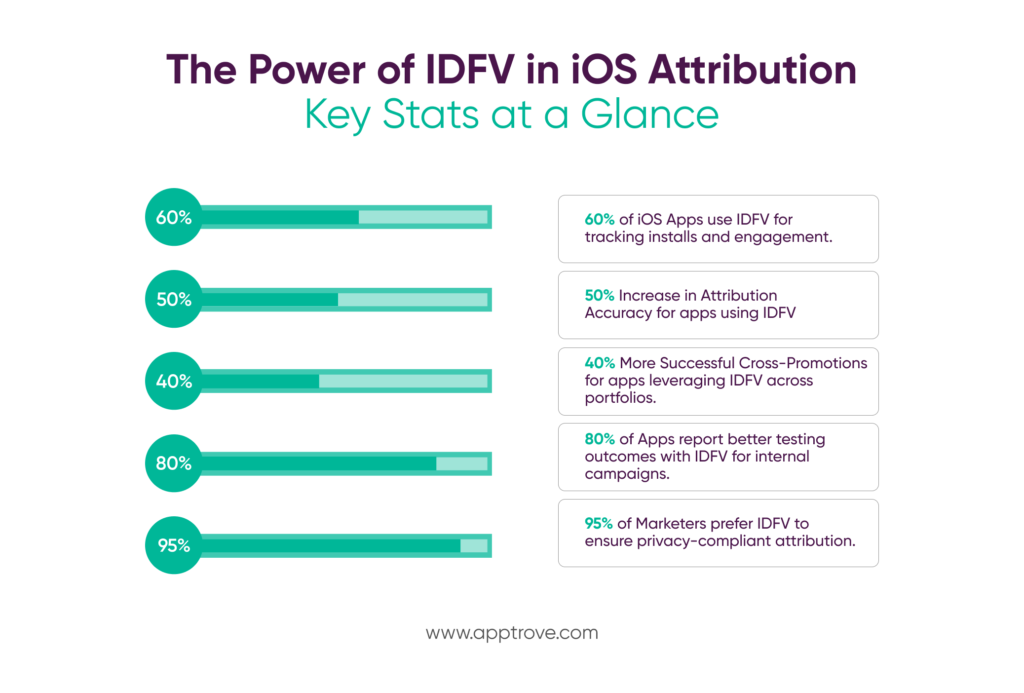
One of the best uses of the identifier for vendors is cross-promotion because if you have several apps associated with the same Apple Developer account, then you can use the IDFV to market those apps to your already installed customers while also knowing where those installs came from (or how they got there).
Examples of channels for cross-promoting these apps using the IDFV would be:
– In-App Ads
– Email Campaigns
– Push Notifications
Using the IDFV you can accurately match users without any reliance upon 3rd party tracking permissions. The IDFV is therefore a great solution for performing QA and marketing tests. The IDFV is usable without the need for ATT consent and it provides a consistent and predictable result across multiple test installs, in compliance with Apple’s privacy guidelines.
Through Apptrove, IDFV is available for registering test devices allowing you to conduct testing in a controlled environment and, therefore, to get predictable results from your testing.
Limitations You Should Know
Although powerful, the vendor identifier has some limitations:
- An Apple Developer account only allows use of the identifier across applications belonging to the same developer account.
- If the vendor deletes all apps, the vendor identifier will revert to an empty value.
- The vendor identifier cannot be used in conjunction with other vendor identifiers for cross-vendor tracking and analytics.
These limitations provide a framework for understanding vendor identifier capabilities. Teams can establish reasonable levels of performance through awareness of these limitations and maintain compliance.
Final Thoughts
In the post-IDFA world, the vendor identifier will be a viable option for iOS attribution (with privacy protections) If it is correctly implemented in Apptrove, the vendor identifier will allow marketers/developers to measure results accurately and track/understand user behavior across devices, perform comprehensive A/B testing and cross-promote products.
To maximize the utility of the vendor identifier, it is essential to understand how it works on iOS, what function it serves for iPhone users and the differences between its use in Android. By understanding these factors, marketers and developers will be able to develop comprehensive attribution strategies that are compliant with privacy regulations while generating practical insights.